What goes in a storyboard brief for the person filming?
“Can you bring the umbrella on Tuesday?” sounds settled until two people turn up with different umbrellas. Send the person filming one message they can open on set. Include a photo of the exact product, the three approved shots in order, the length and shape of the finished ad, and the detail you need them to get a second take of. For a pocket umbrella, that last detail might be the instant it clears the tote, still folded.
A sample shoot brief for drama ads
Imagine a shop selling a navy umbrella small enough to carry every day. Rain makes a good ending, but the reason to buy the umbrella is there a few seconds earlier. Here’s how that changes the note to the person holding the camera.
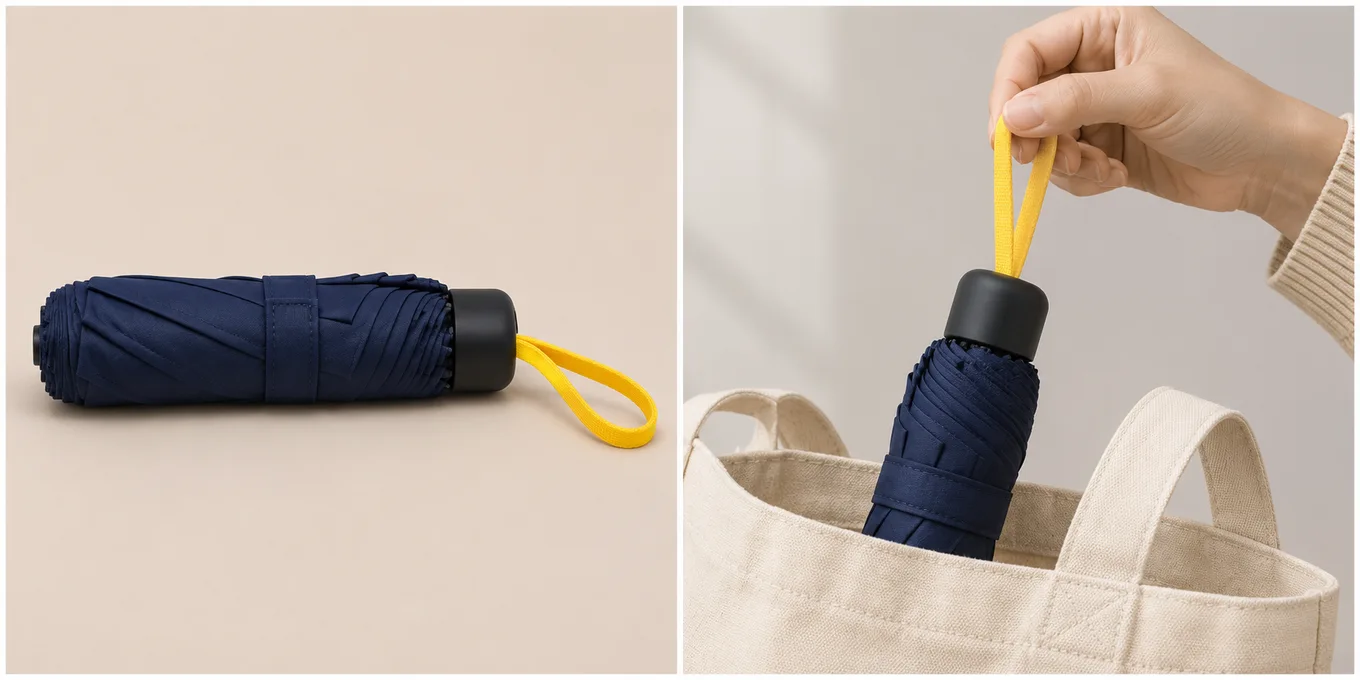
For Tuesday, please bring the folded navy pocket umbrella with the yellow wrist loop in the attached photo, plus a plain canvas tote. We’re making a 15-second vertical ad (9:16) for the product page.
Opening. From under the awning, we see a commuter hold out their palm to check the rain. The tote hangs from their other arm.
Middle. Come close to the tote. They lift the folded umbrella out by its yellow loop. Keep the rim of the tote in frame until we can see the full length of the umbrella.
Ending. Stay under the awning as the open navy canopy heads down the street. We can finish on the canopy moving away.
Please get one extra take of the pull from the bag. Let the umbrella hang beside the tote for a moment before opening it. That’s the view we need for the edit.
Explain what the editor needs from the close-up
“Get a close-up” sounds precise. A camera operator could follow that instruction, fill the frame with the yellow loop and bring home a handsome shot that tells us very little about the size of the umbrella. Including the tote rim gives the viewer something familiar to measure it against. Holding the product there for a beat gives the editor a place to cut.
Say which parts the crew can change. A covered doorway can stand in for the awning. The performer can carry the tote on whichever arm keeps the light on the product. But if a roomy backpack replaces the tote or the umbrella is already open when we first see it, the shot answers a different question. Pointing that out in advance saves a phone call from a wet pavement.
Include a second reference when the crew needs to match a position, such as the loop sticking up just inside the tote. A folder full of navy umbrella photos makes somebody else choose which one you meant. If you’re deciding between two similar angles, the guide to choosing product reference photos works through what each view contributes.
Make the approved version easy to find on set
Open the project you approved in My projects after signing in, then copy its three scene lines into the message. Where the storyboard offers Download brief, the JSON file includes the product name, concept, shots and format. Attach it if the editor wants the project details. Put the human-readable shot order in the message and attach the original product photo separately so the person packing the tote can see it at a glance.
When a crew is filming several drama ads in one afternoon, an updated file name is easy to miss. If the middle shot changes, send the complete revised three lines together and identify the change. “For Tuesday, use this version. The umbrella now comes out folded in shot two” is enough. A crew member arriving late can open one message and work from it.
Before packing up, play back the pull on a phone. Pause as the umbrella clears the tote. If you can pick out the yellow loop, both ends of the folded umbrella and the rim of the bag in that frame, you have the shot that would be hardest to replace in the edit.
For your next brief, bring the product photo to Ad Studio and choose a script. Put a note beside the shot you’d ask the crew to get twice.